Affinix
Add us to your Google listing
For . As a manager, we can link your Google listing to your new website and keep your hours, phone and services matching it. Google trusts listings that match the business's website, which helps you show up in local searches. You stay the owner, you can remove us anytime, and we never need your password.
The email to add as a Manager
-
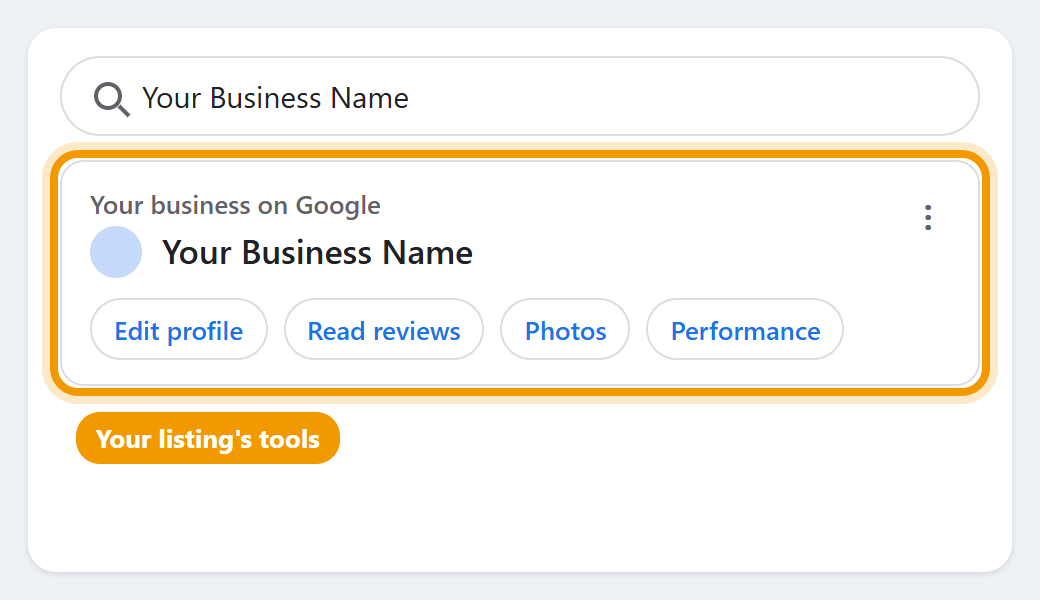
1Find your business on Google
Sign in to the Google account that runs your listing, then search Google for your business name. Your listing comes up with the tools to manage it at the top.
-
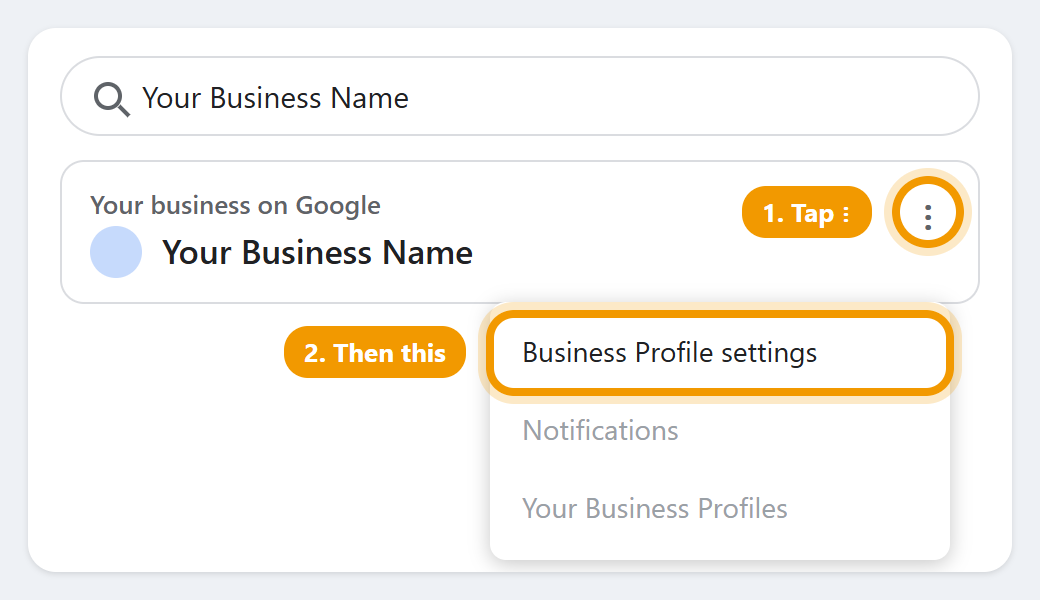
2Open Business Profile settings
Tap the three dots (⋮) next to those tools, then Business Profile settings.
-
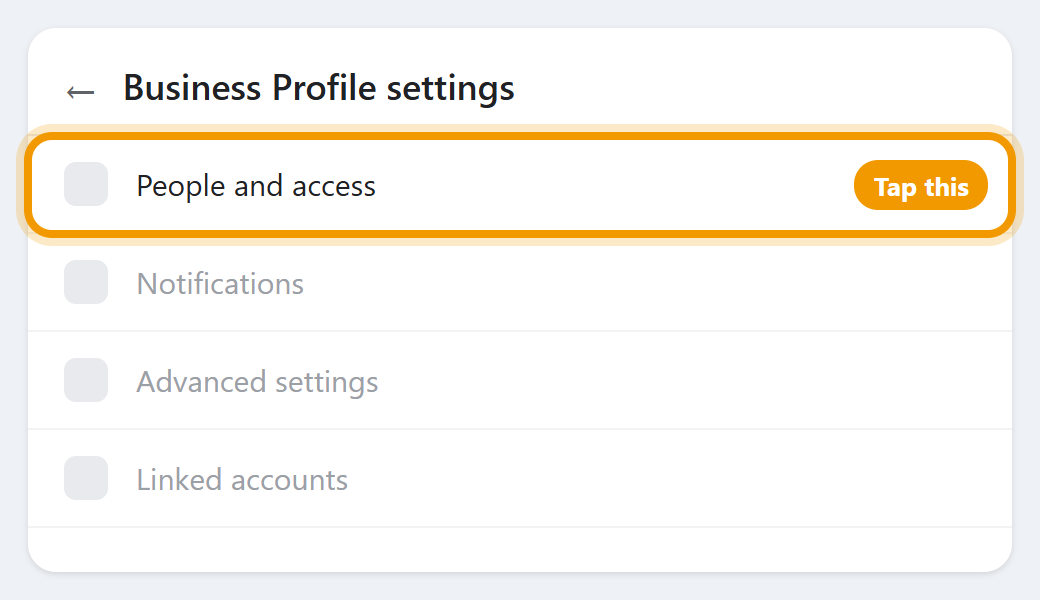
3Tap People and access
It shows everyone who can manage the listing.
-
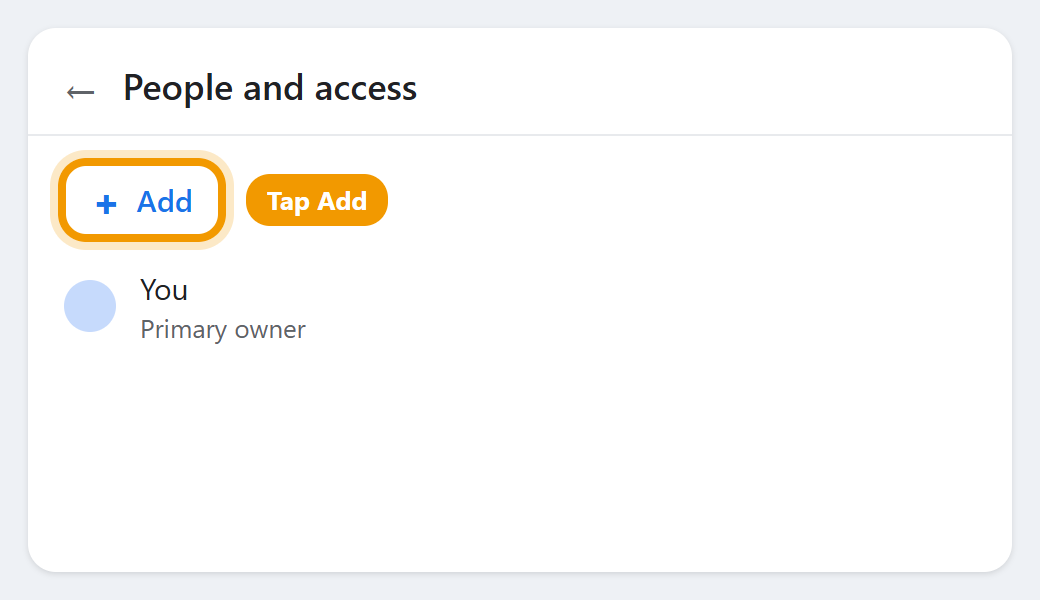
4Tap Add
It's at the top of the list.
-
5Add the email as a Manager
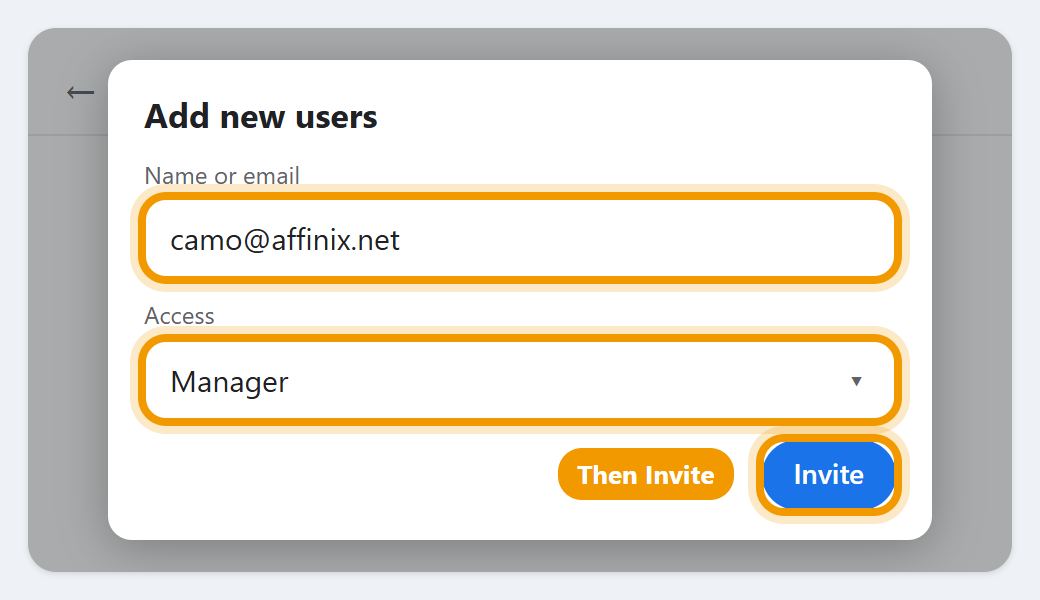
Type camo@affinix.net, set Access to Manager, and tap Invite.
The pictures are simplified. Google's screens can look a little different, but the buttons have the same names. It's easiest on a computer; on a phone, use Google in your browser or the Google app.